Create a PO in minutes
Pick the job, vendor, and items. Attach photos or quotes straight from your camera.
 Mobile app
EmpireWorks PO
For EmpireWorks field teams
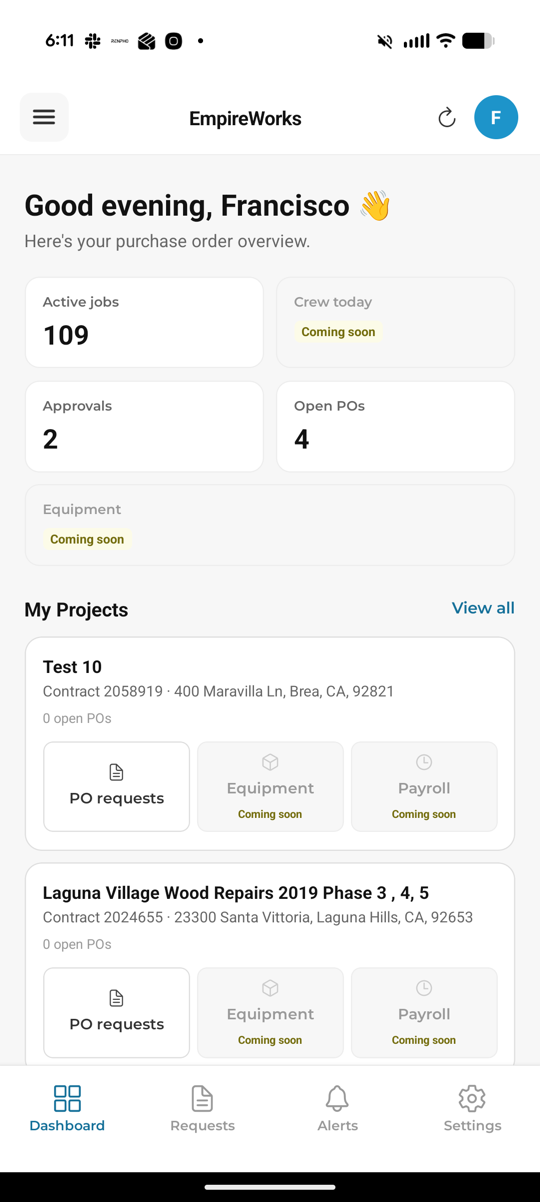
Request materials, get approvals, and track orders from your phone. Sign in with your EmpireWorks account.
Requires an active EmpireWorks login
What it does
Pick the job, vendor, and items. Attach photos or quotes straight from your camera.
Requests route to the right project manager automatically. See when they are approved.
See status, PO numbers, and history for each job site in one place.
Ready when you are
Tap the iPhone or Android download button above. On the Expo build page, tap Install and follow the prompts.
Open Settings → General → VPN & Device Management, select iPhone Distribution: NSG, then tap Trust. Android users can skip this step.
Open the app and sign in with your EmpireWorks username and password.